Invoicing & quotation software

Professional invoices, quotations & more — in minutes, not spreadsheets.

InvoiceHub handles Invoices, Quotations, Receipts, Credit Notes, and Purchase Orders with unlimited line items, per-item GST, and a PDF that actually looks like it came from a real business — in one of 8 professional templates.

No credit card required · Free plan available

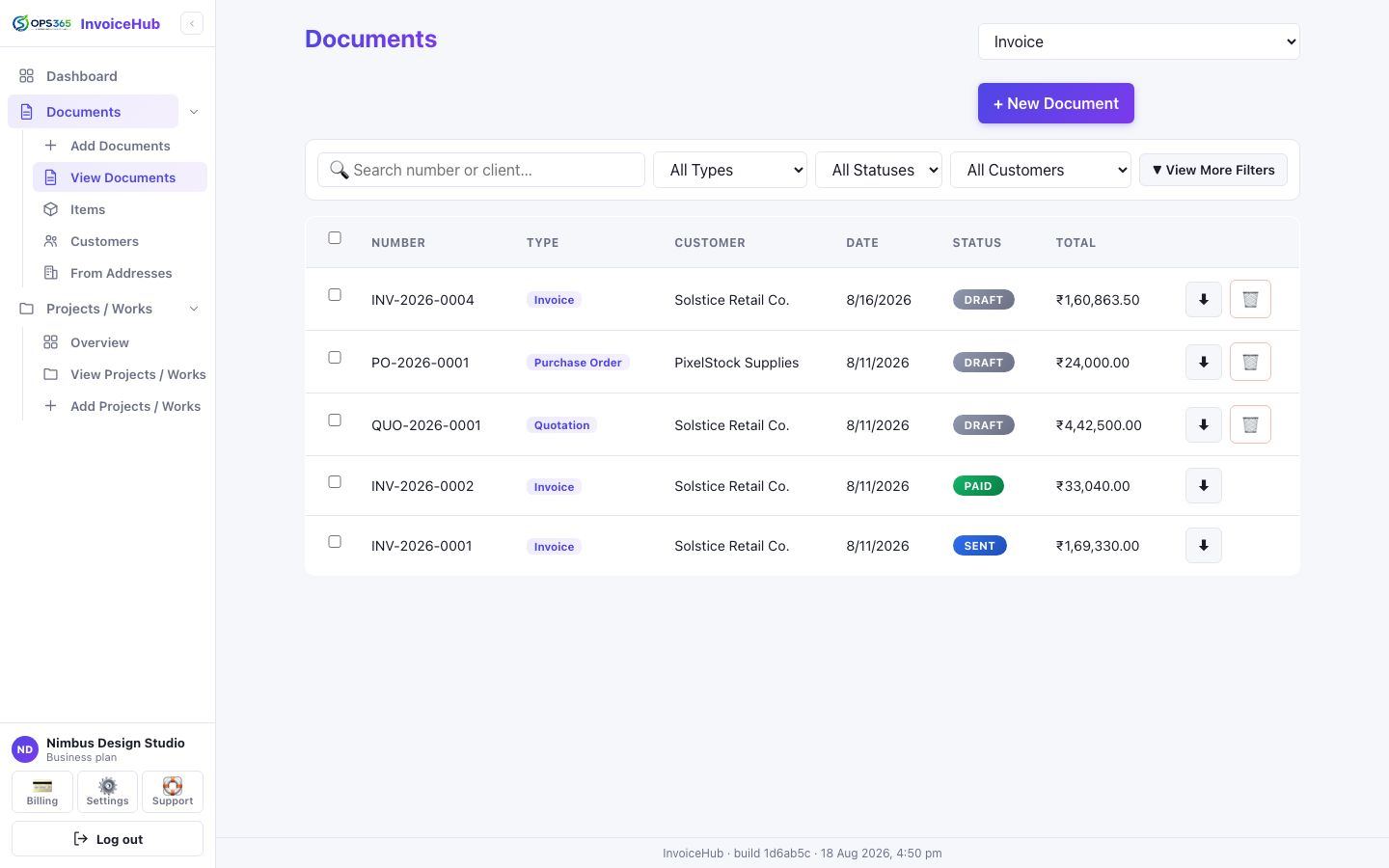
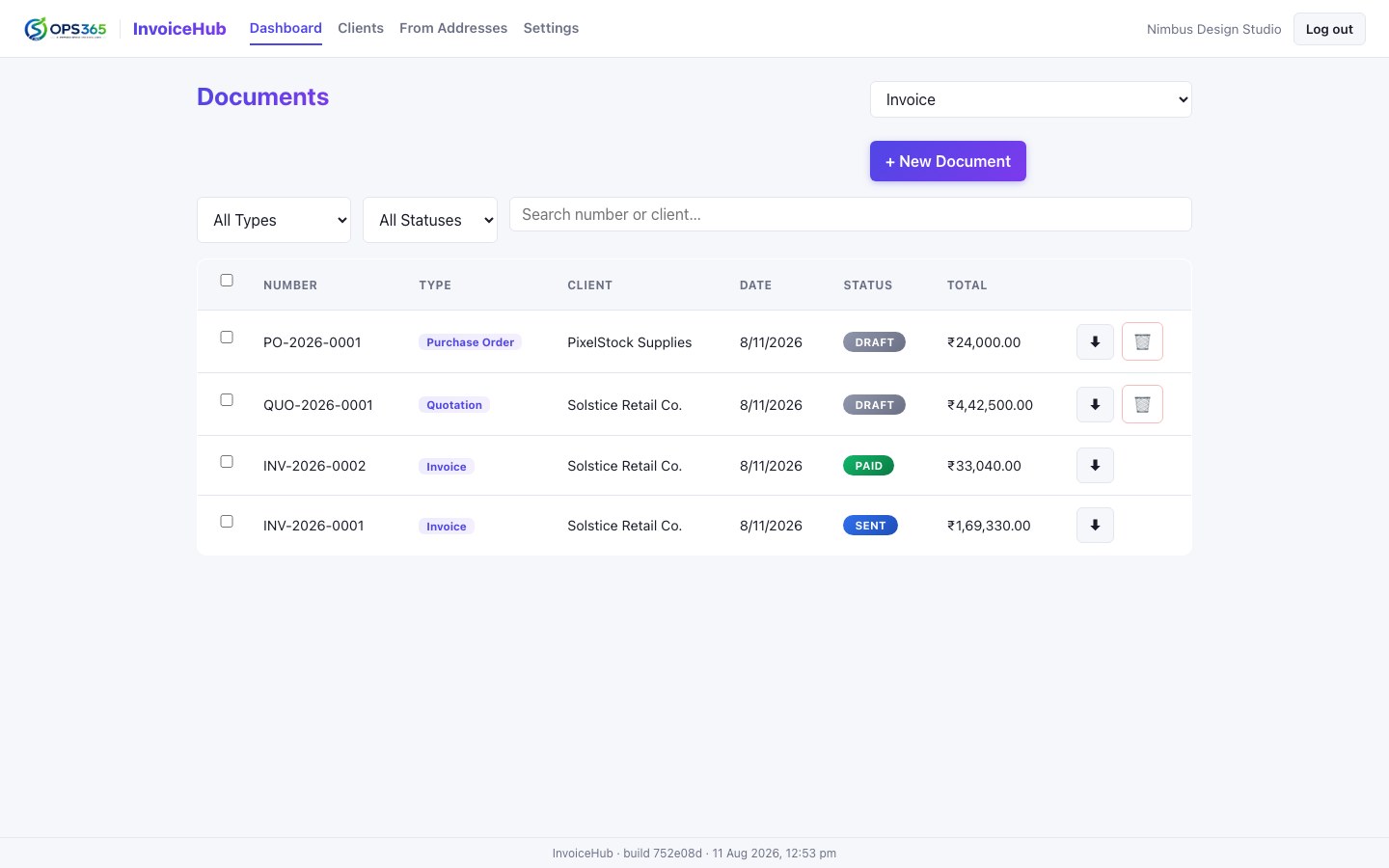
InvoiceHub document dashboard showing invoices, quotations, and a purchase order with statuses and totals
5Document types
8PDF templates
UnlimitedLine items, per-item tax
InstantPDF, every save

Everything a real invoice needs. Nothing it doesn't.

Built around how freelancers, agencies, and small businesses actually bill.

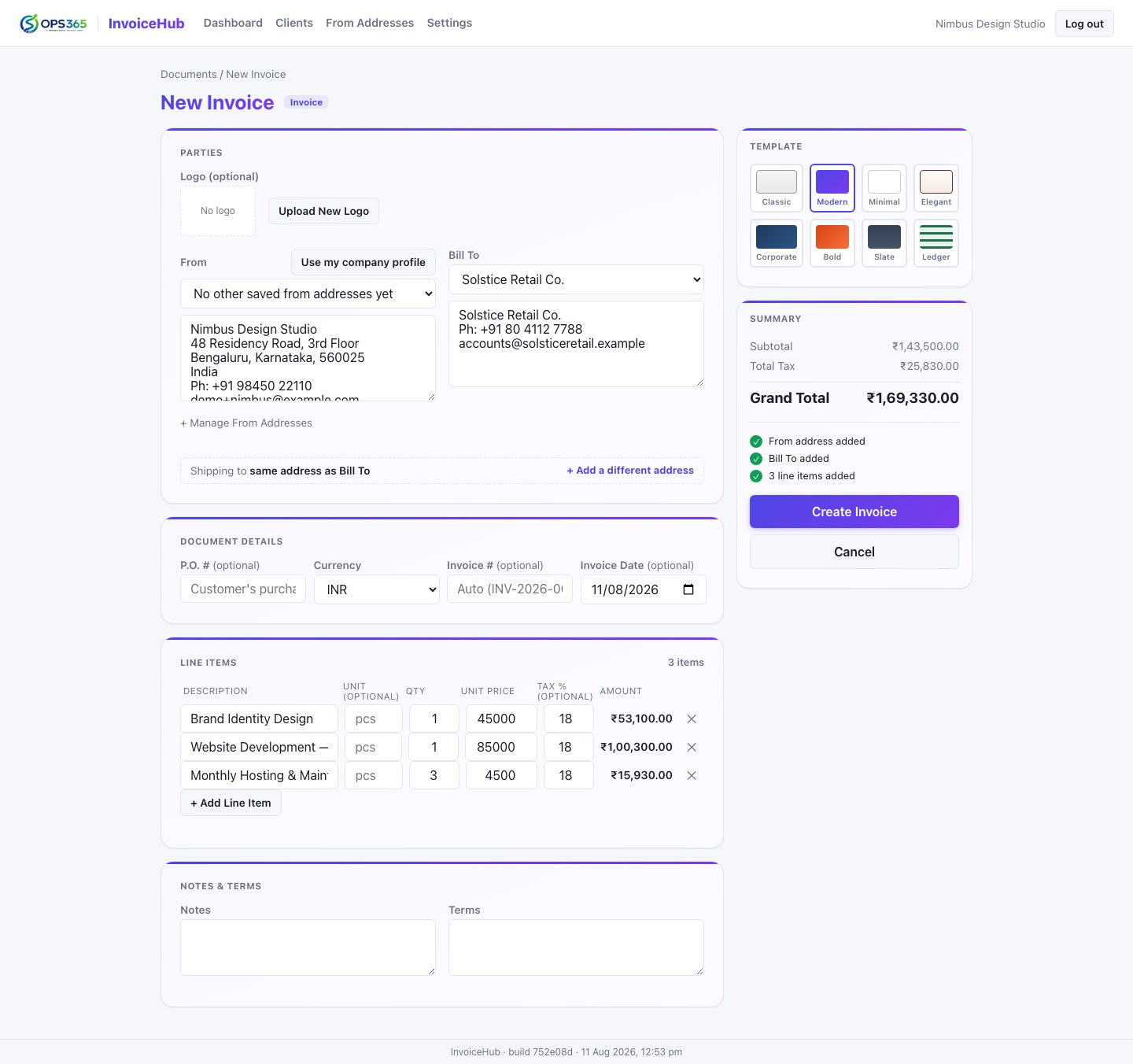
New Invoice form showing line items with quantity, unit price and tax percent, a template picker, and a live running total
Line Items & Tax

Unlimited line items, tax handled per item.

Add as many line items as a job needs, each with its own quantity, unit price, and tax percentage — not one flat rate for the whole document. Totals are computed server-side on every save, so what you see is always what's actually stored.

  • Per-line-item GST, not a single document-wide rate
  • Optional unit column — hidden on the PDF when unused
  • Live running subtotal, tax, and grand total as you type
  • 8 visual templates, switchable per document
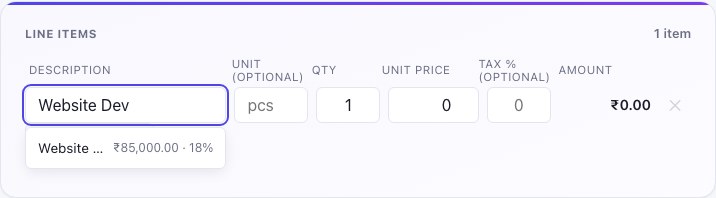
Line item description field showing an autosuggest dropdown with a previously billed item and its remembered price and tax
Item Catalog

It remembers what you bill — so you don't have to.

Every line item you've ever typed is automatically saved, price and tax included. Start typing on a new document and InvoiceHub suggests from what you've actually billed before, ranked by how often you use it — pick one and the price and tax fill themselves in.

  • Auto-saved as you go — no separate "add to catalog" step
  • Suggests by how often and how recently an item was billed
  • One click fills in unit, price, and tax
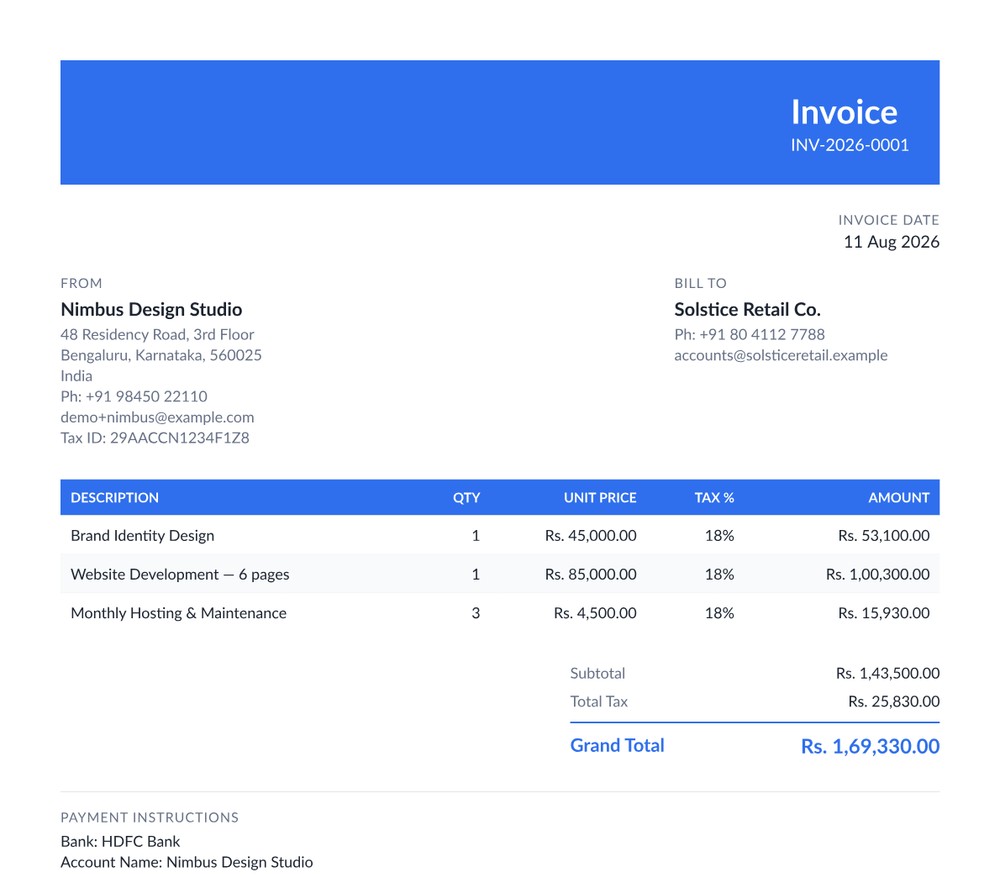
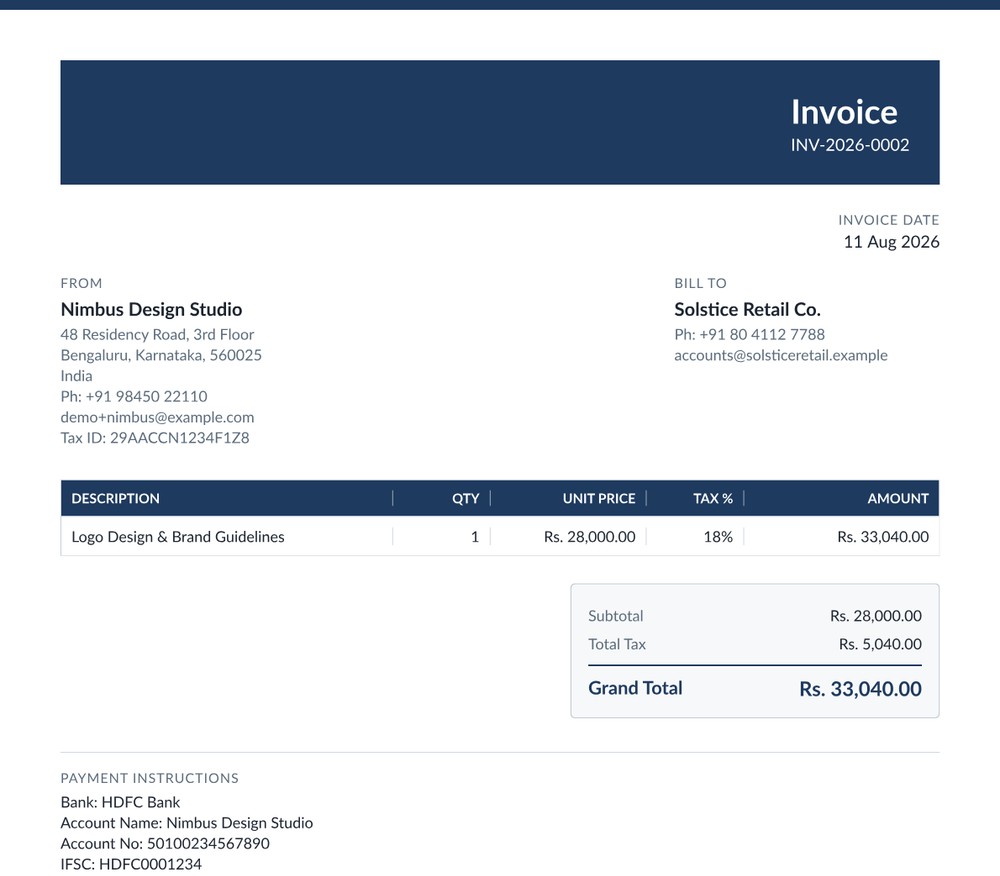
A generated invoice PDF in the Modern template, with a blue header band and striped line-item table
PDF Output

A document that looks like it came from a real business.

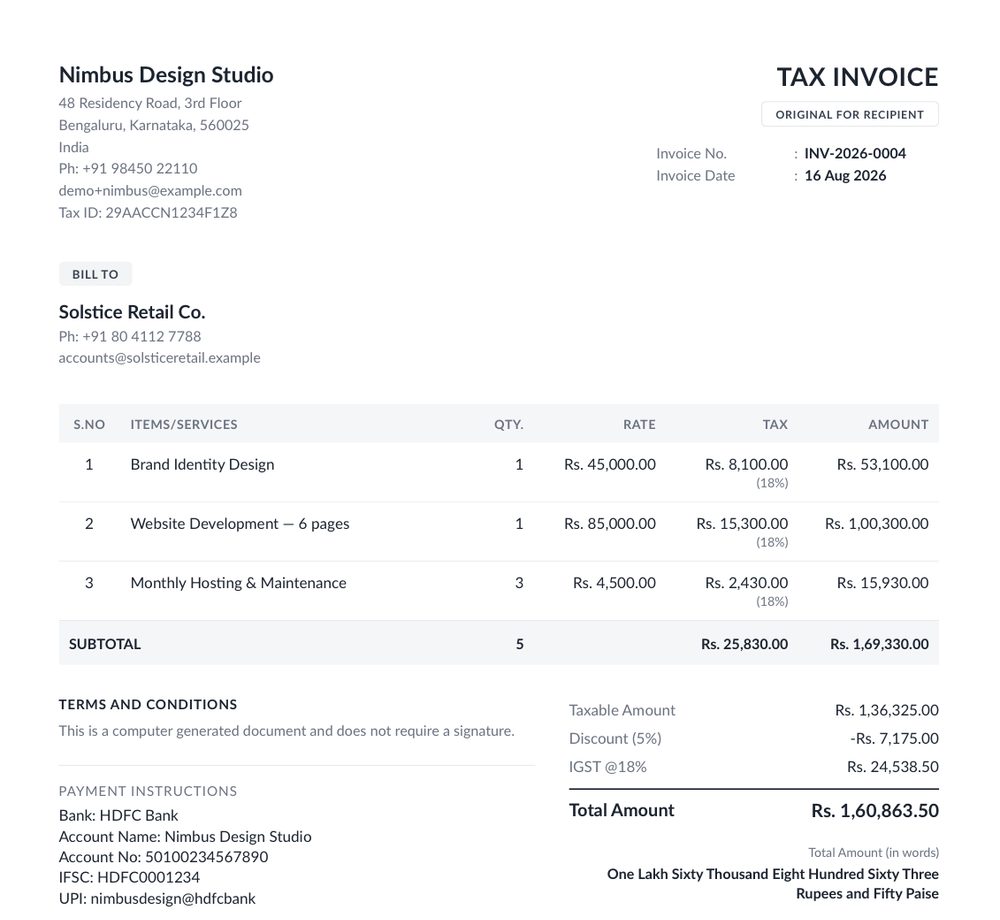
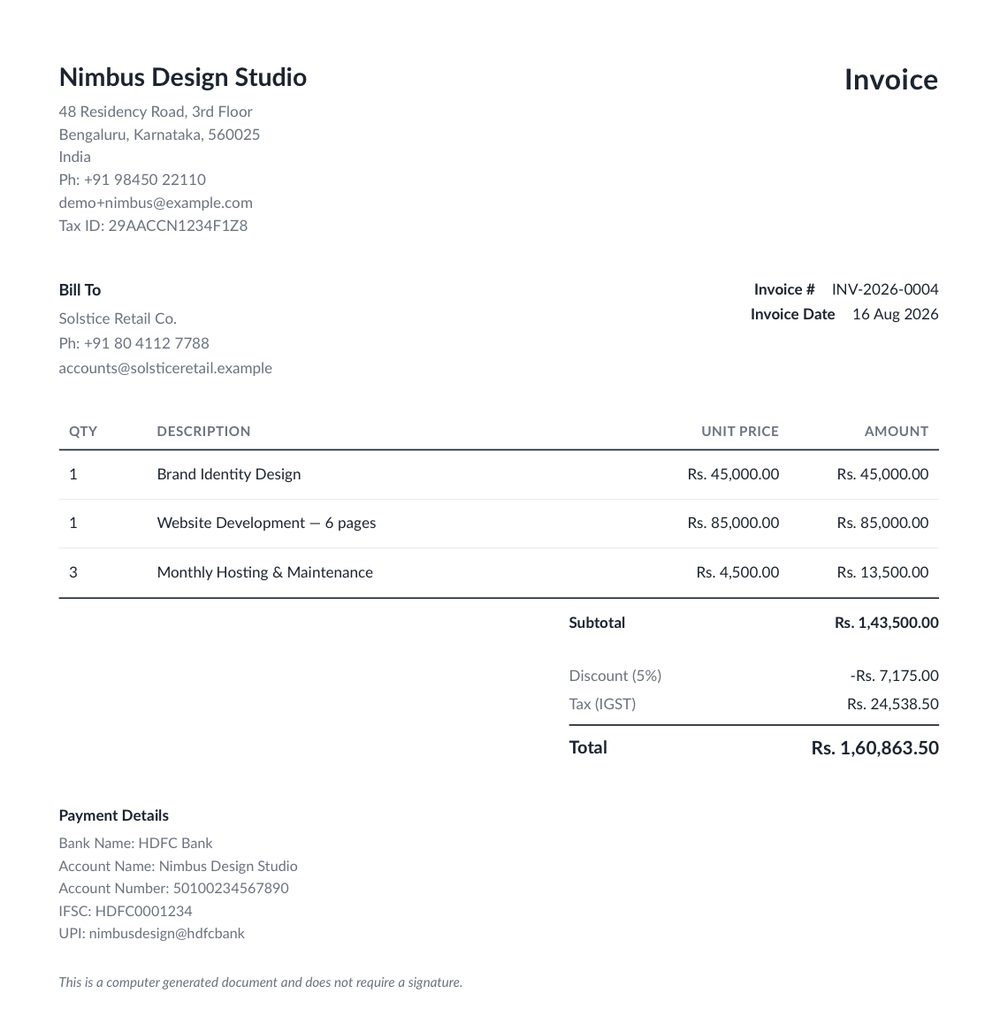
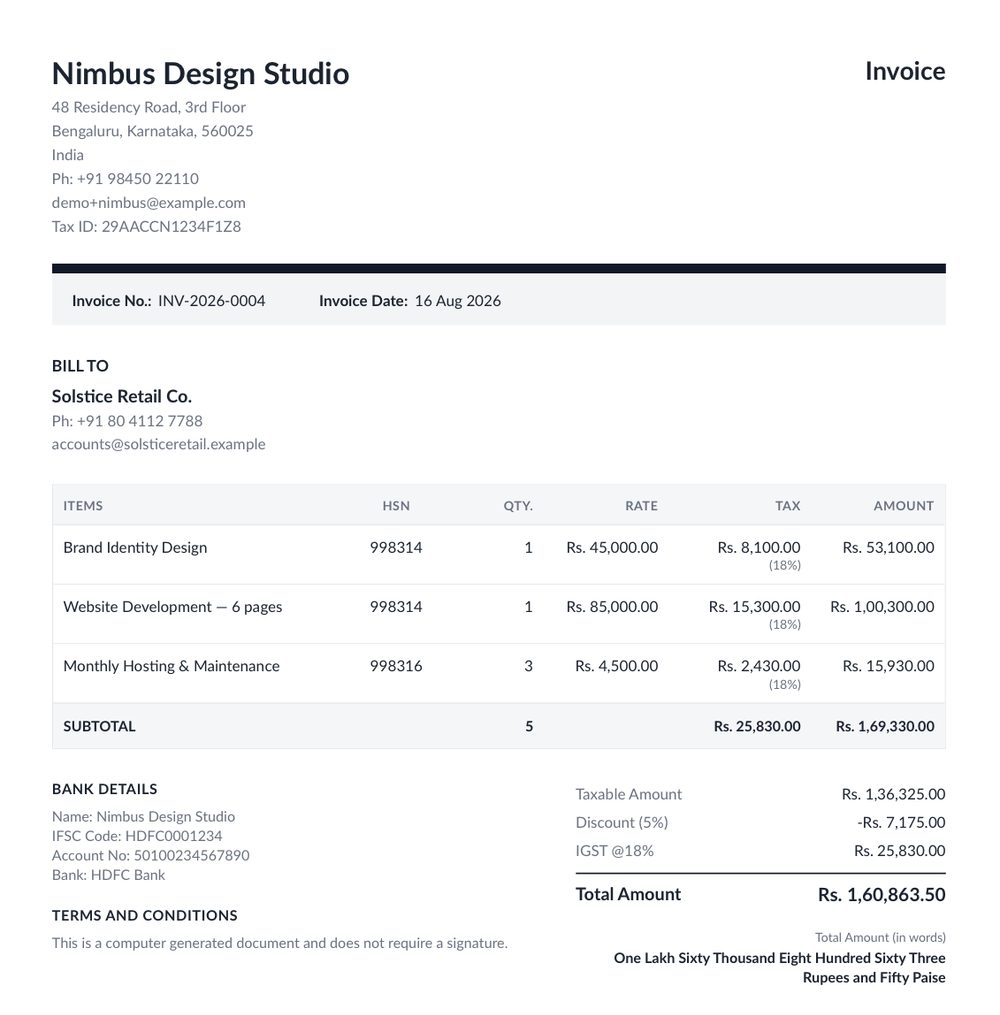
Pick from 8 professionally designed templates — from a clean minimal layout to a formal corporate look to a warm serif design — with embedded professional typefaces, not the generic default fonts most invoice tools ship with.

  • Classic, Modern, Minimal, Elegant, Corporate, Bold, Slate & Ledger
  • Generated the moment you save — always ready to download
  • Set an account-wide default, or choose per document
  • Your logo and payment details on every Invoice & Receipt
Document dashboard with filters by type and status, and single or bulk PDF download
Dashboard & Workflow

See where every document stands, at a glance.

Filter by type and status, search by number or client, and download one PDF or a whole batch as a ZIP. Clone any document as a fresh draft — even as a different type — and convert an accepted Quotation straight into an Invoice.

  • Filter and search across every document type
  • Single or multi-select bulk (ZIP) PDF download
  • Clone a document, optionally changing its type
  • One-click Quotation → Invoice conversion

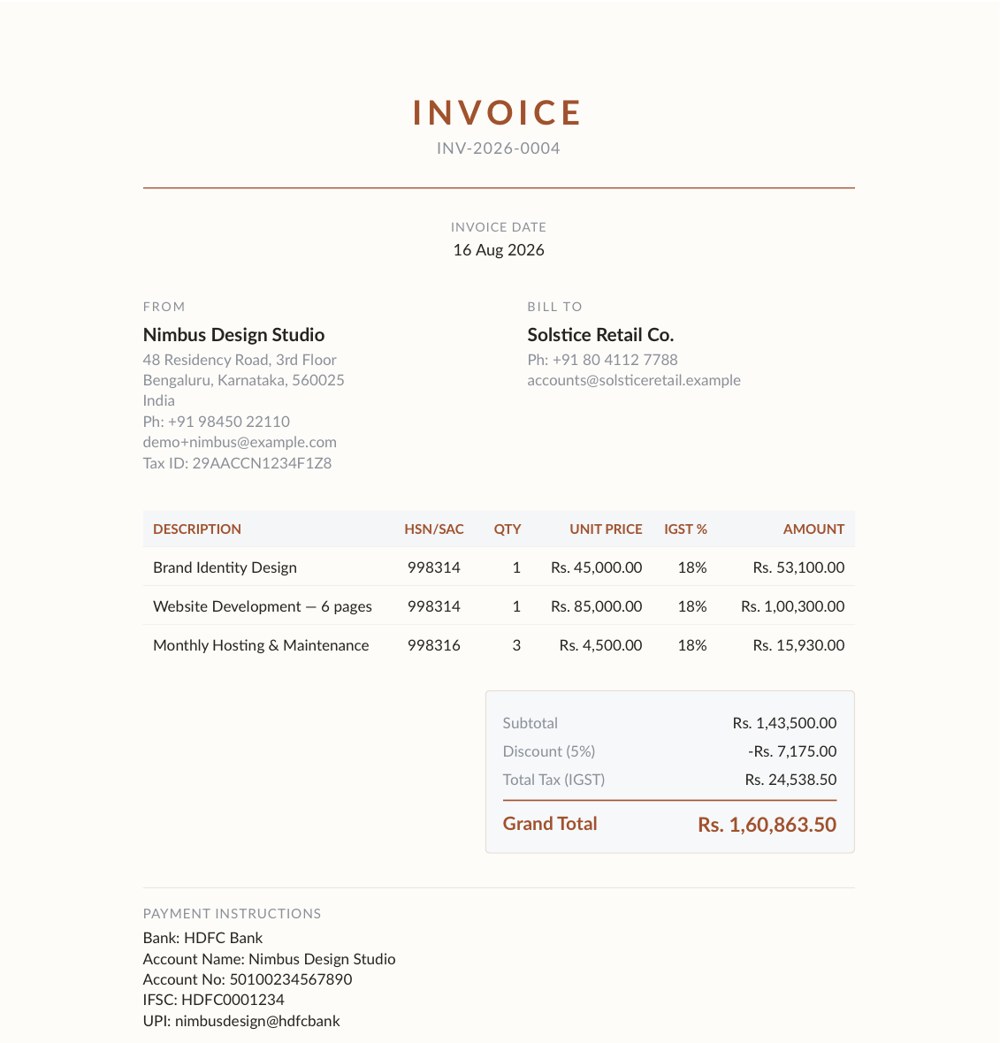
8 templates. Pick the one that looks like you.

Every template renders the same document data — switch anytime, per document or as your default.

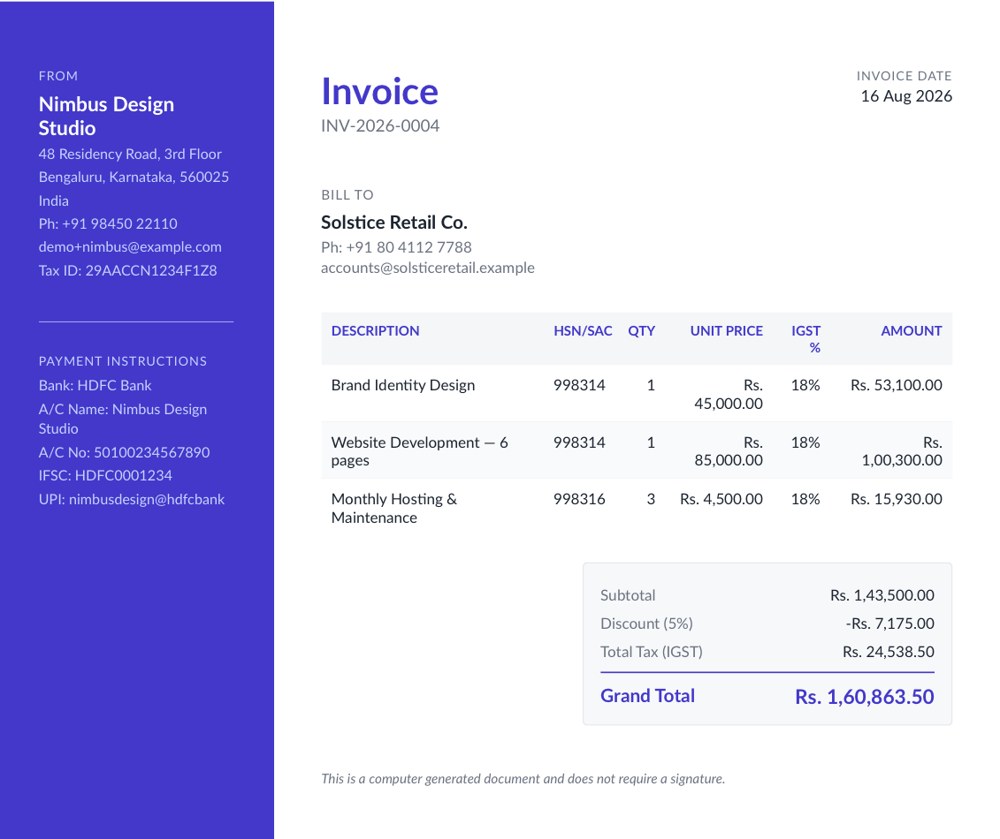
Modern template — blue header band, striped table
ModernBold header band, striped table
Corporate template — navy header band, boxed totals
CorporateNavy, fully gridded, boxed totals
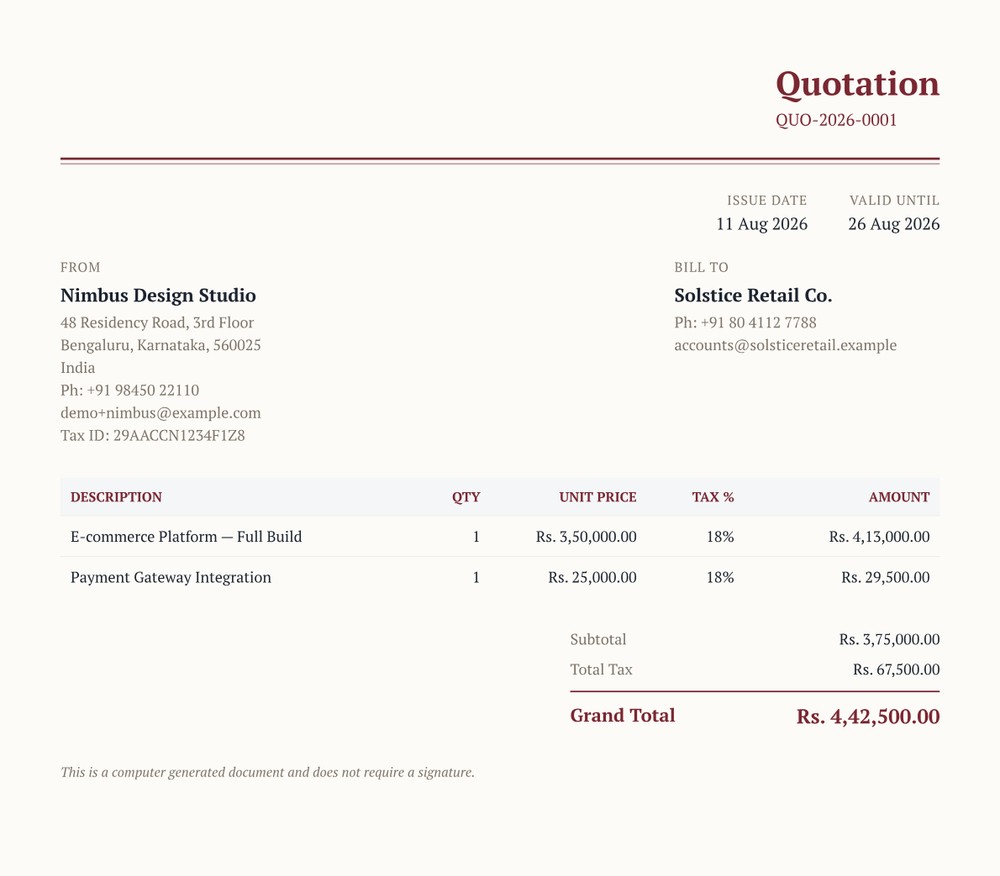
Elegant template — warm ivory background, serif type, burgundy accent
ElegantWarm serif, understated luxury
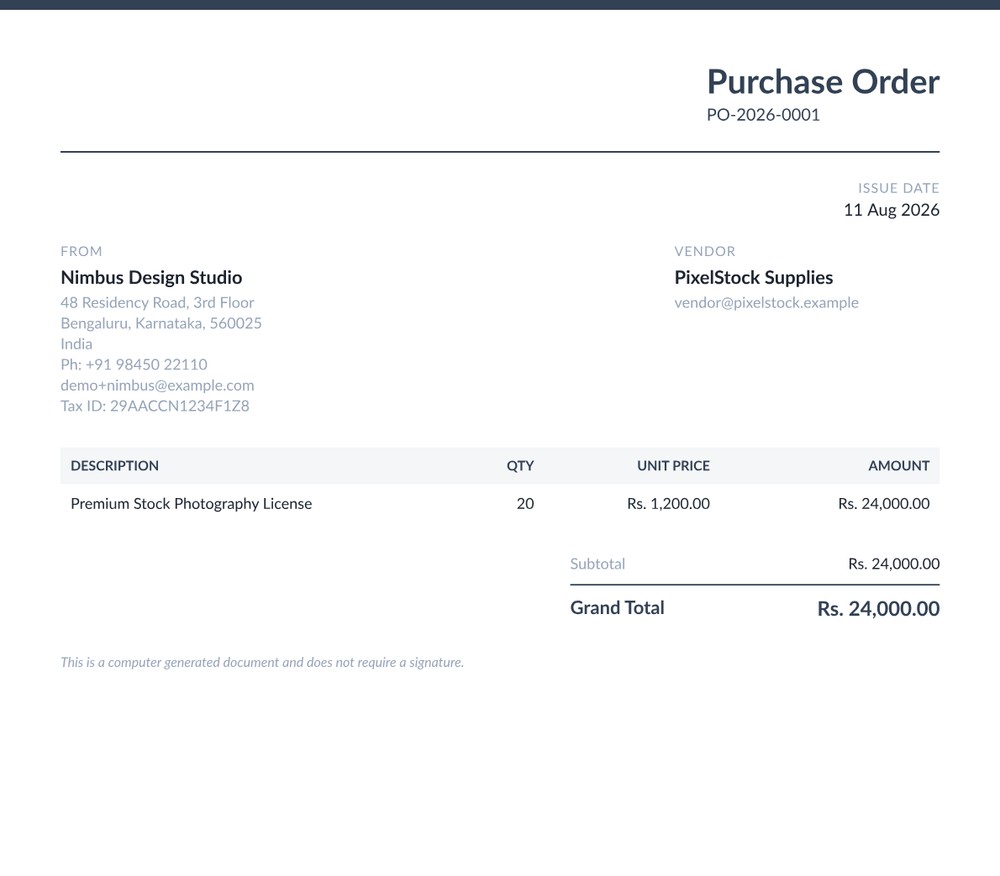
Slate template — cool gray, understated, single header rule
SlateCool gray, quietly structured

+ 4 more: Classic, Minimal, Bold & Ledger — all included, on every plan.

Built for anyone who bills a client.

If you've ever typed an invoice in a spreadsheet, this is for you.

Freelancers & Consultants

Send a professional invoice or quotation without wrestling with a spreadsheet template.

Design & Creative Agencies

Quote a project, convert it to an invoice on approval, and keep every line item consistent.

Small Businesses & Retailers

Raise Purchase Orders to vendors and Receipts to customers from the same place.

Accountants & Bookkeepers

Issue Credit Notes cleanly and keep a searchable record of every document ever generated.

Simple pricing. No surprises.

Start free — upgrade only once you're actually sending documents every week.

Free

₹0/month

Try InvoiceHub with no commitment

  • Up to 5 documents / month
  • All 5 document types
  • All 8 PDF templates
  • Item catalog & autosuggest
  • Email support
Start Free

Business

₹999/month

For agencies billing under multiple identities

  • Everything in Professional
  • Multiple business identities (From Addresses)
  • Custom payment instructions per document
  • Priority onboarding
Talk to Us

Prices shown are indicative in INR, excluding taxes, and may change as InvoiceHub develops. Contact us for details.

Frequently asked questions

Is my business data isolated from other accounts?

Yes. InvoiceHub is fully multi-tenant — every client, document, and catalog item is scoped to your account alone. There is no shared or cross-account visibility.

Can I convert a Quotation into an Invoice?

Yes. An accepted Quotation can be converted to an Invoice in one action — line items, client details, and template all carry over, and both documents stay linked to each other.

Is GST or tax calculated per line item?

Yes. Every line item has its own tax percentage, not one flat rate for the whole document, so a single invoice can mix taxable and tax-exempt items correctly.

Which PDF templates are available?

Eight professionally designed templates — Classic, Modern, Minimal, Elegant, Corporate, Bold, Slate, and Ledger — selectable per document or set as your account default.

Can I use my own business branding on documents?

Yes. Add your company logo, address, and payment details once in Account Settings, and every generated PDF carries them automatically — including support for more than one business identity via saved From Addresses.

Is InvoiceHub connected to Ops365?

InvoiceHub is an Ops365 product, built and operated by the same team, but it runs as its own independent application with its own sign-up — you don't need an Ops365 account to use it.

Send your next invoice in under two minutes.

Free to start, no credit card required — see for yourself.

Start Free